Turn replies into clear next actions.
Use CarcMail reply intelligence to classify inbound responses, understand campaign outcomes, and keep follow-up work organized.
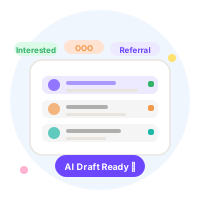
Track interested, not interested, referral, unsubscribe, and out-of-office responses.
Keep reply state connected to campaign history.
Use clearer outcomes to improve the next outbound motion.
From reply to next action in one workspace
Inbound replies land classified, not raw. Each response is tagged so your team knows who to follow up with, who to remove, and who just referred you — without reading every thread.
- 01 Replies sync from connected inboxes
CarcMail polls connected Gmail or SMTP inboxes for new replies after each campaign. Responses are matched to the originating lead and campaign automatically.
- 02 AI classifies intent
Each reply is categorised: Interested, Not Interested, Out-of-Office, Referral, or Unsubscribe. Classification happens without manual tagging or inbox rules you have to maintain.
- 03 Reply state links to campaign history
The reply record sits next to the original send log for that lead. You can see the full timeline: draft sent → spam score → delivered → replied → classified.
- 04 Unsubscribe requests auto-suppress
Replies classified as Unsubscribe automatically suppress the lead from future sends. No manual list management. No accidental follow-up to someone who opted out.
- 05 Send from inbox for warm follow-ups
Growth and Scale plan users can reply directly from the CarcMail inbox. The reply goes through the same connected sender identity — no context switching to Gmail.
Why reply management matters for outbound health
5 intent categories, not just open/click
Open rates are a vanity metric. Reply classification tells you what actually happened: warm lead, dead end, referral, or compliance action needed.
Full lead timeline in one view
From first import to final reply, every step is visible on the lead timeline. No cross-referencing spreadsheets or digging through Gmail threads to reconstruct what happened.
Automatic suppression protects your domain
Continuing to email people who've asked to opt out is a deliverability and compliance risk. Suppression is automatic — it doesn't depend on someone manually updating a list.
Reply from the same inbox you sent from
Warm leads expect continuity. Replying from the same sender identity that sent the original email maintains thread context and avoids the trust gap of a different address.
What is AI email response management?
AI email response management in CarcMail refers to the structured pipeline stage that handles turn replies into clear next actions.. It runs automatically for every lead in a campaign — validated, AI-drafted, spam-checked, and logged before any email leaves the platform. The workflow is built on a 7-node LangGraph orchestration layer powered by In-House AI, running over SMTP or Google OAuth sender identities with SPF, DMARC, and MX authentication enforced at the inbox level.